Para Drutów apps
4:10 a.m. The alarm rings — and it’s the right one.
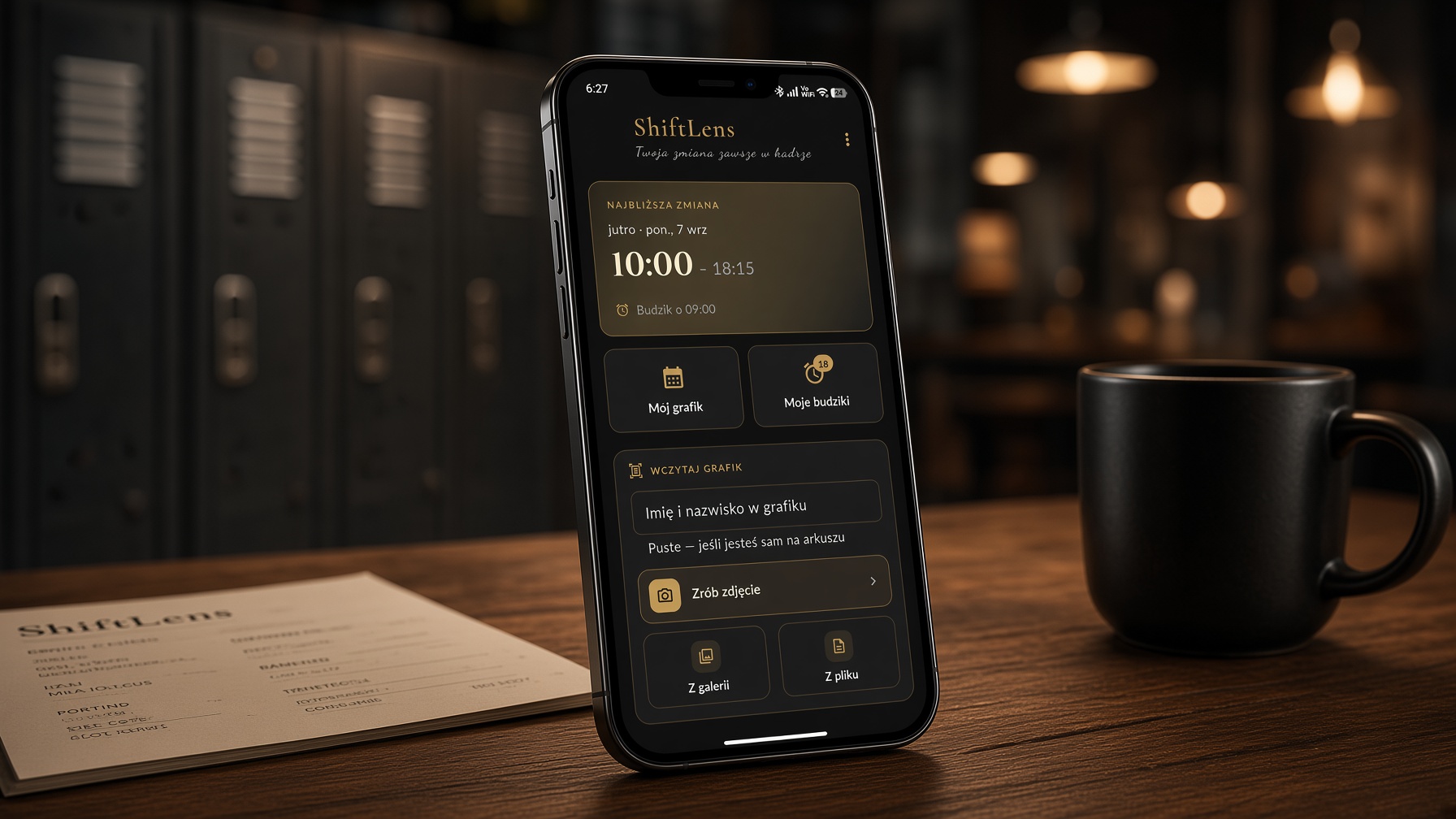
Your rota hangs on the wall at work or arrives as a blurry photo in a group chat. Every month it’s the same: copy it into your phone, set the alarms one by one, check it all again… and one mistake is enough to oversleep an early shift or turn up on your day off. ShiftLens does it for you: take a photo of the rota, and a minute later every shift of the month has its own alarm.
How it works
1. Photograph the rota
The whole sheet — an on-screen frame helps you fit it in, and you can crop the corners afterwards. Excel and PDF files work too.
2. Type your surname
Exactly as it is printed. ShiftLens finds your row even in a rota for the whole team.
3. Check the flagged days
Days the app was not sure about are clearly marked. You fix them with a single tap.
4. Done
Alarms set for the whole month — and the app reads the month itself from the sheet.
What it does
An alarm that fits the shift
For a 6:00 shift it wakes you earlier, for a 14:00 shift later. Getting-ready and travel time are set separately for morning, afternoon and night shifts.
Alarms you can rely on
They come back after a phone restart. If the phone switches them off, the app warns you and shows exactly what to change. Test the ring with one tap.
A nudge before the rota ends
Three days before your last shift you are reminded that the rota is running out. Your own alarm sound and extra alarms whenever you need them.
Reads real rotas
A whole-team table, a “date – shift” list, several pages at once, plus Excel and PDF files. Any day can be fixed by hand, and a missing one simply added.
Codes in eight languages
Days off, holidays and sick leave — in words or letters: “Wolne”, “Urlop”, “Urlaub”, “Folga” or just “U” in a cell.
Two jobs? No problem
Two rotas side by side, each with its company name and colour. The alarm before your second shift never rings before the first one ends. Changing jobs? The new one takes over the rota from a date you choose.
Hours counted
Monthly total with the unpaid break deducted, separately for each job. Overtime shown next to rota hours, plus a history of past months.
Widget and sharing
A home-screen widget in three sizes counts down to your next shift — and, during it, to the end. Send the rota to your family as a clear image.
Who it is for
Shops, warehouses, factories, restaurants, hospitals, security, logistics — for anyone who gets their rota on paper and starts work at a different time every day.
Details
- Platform: Android 8.0 and newer.
- Languages: Polish, English, Ukrainian, Russian, German, French, Spanish, Portuguese.
- Internet: not needed — the app works offline.
- Account: not required.
- Payment: one-time purchase, no subscription and no ads.
Your rota stays on your phone
Text recognition runs on the device. Photos and rotas are never sent anywhere, no account is needed, and the app works offline. Colleagues’ names are deleted right after reading — only your own shifts are saved.
WzorAI
Your assistant for creative knitting patterns
Describe a pattern in your own words — get a ready-to-knit chart
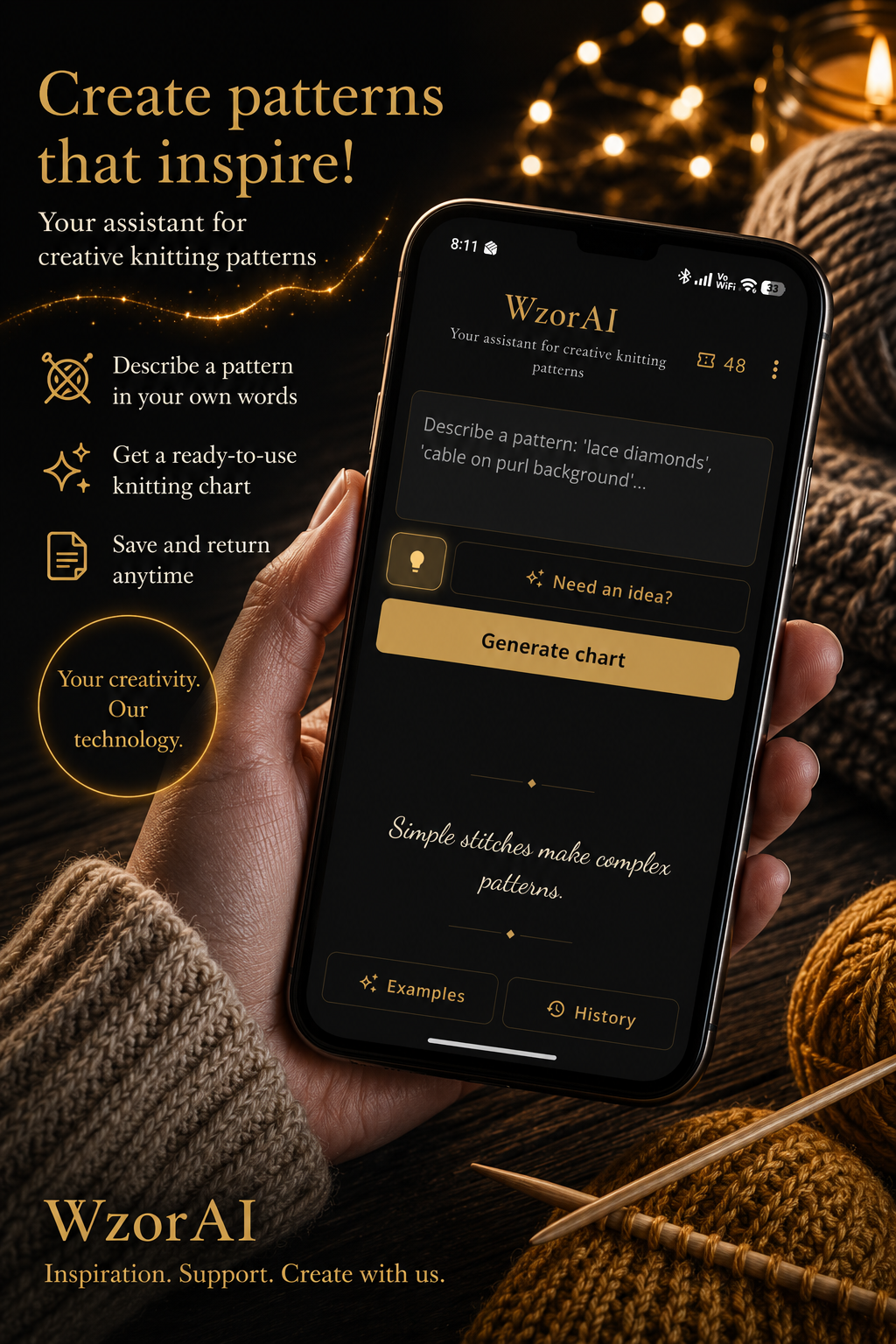
Every knitter knows the feeling: you can picture the fabric exactly — the way the lace opens, where the cable crosses — but that pattern is in no book and on no forum. WzorAI starts from your words. Write ‘lace diamonds on a purl ground’ or ‘a cable with seed stitch on either side’ — and the app builds the repeat, checks that every row adds up, and draws a clear chart in the symbols you know.
How it works
1. You describe
In plain language, the way you would tell a friend. If you are short of an idea, open the idea builder: tap a few words — lace, leaves, airy, for a scarf — and the description writes itself.
2. WzorAI counts and draws
It builds the repeat and checks it row by row: does the stitch count work out, do the yarn-overs balance the decreases. A chart that cannot be knitted never reaches your screen.
3. You knit
From your phone with zoom and a row counter, or from a printed PDF beside your needles. Whichever suits you.
What you get
A chart that adds up
Every pattern goes through an automatic check. If a row does not balance, the app corrects the pattern and checks again — until it works.
Fabric preview
One tap switches the view to fabric: the pattern repeated nine times, with fine gold lines at the repeat boundaries. Only here does the motif reveal itself.
A row counter that remembers
Tap a row and it lights up. Close the app, come back a week later — your place is waiting where you left it.
Three calculators
Cast-on, shaping for sleeves and necklines, and how much yarn — worked out from the weight of your own swatch, not from a table.
An elegant PDF to print
Seven pages: cover, chart, fabric preview, legend, row-by-row instructions, care and blocking. All in your language, ready to print.
Your own pattern library
The history stays on your device. Name patterns your own way, star the favourites, and add notes. Six months on you will still know what the project was.
An image to share
Chart and legend in one picture — to send to a friend or post on Instagram.
Tips and curious facts
Fifty practical tips and facts about knitting — from keeping your ball of yarn from rolling away, to why mohair unravels better after an hour in the freezer.
Who it is for
For anyone who knits and wants a pattern they will not find anywhere else. Skill level does not matter: every chart is marked with a difficulty, and eight built-in examples can be viewed and exported free of charge before you decide on anything.
Details
- Languages: English, Polish, German, French, Russian, Ukrainian — the whole app and every PDF.
- Symbols: European or international (CYC) standard, your choice in settings.
- Privacy: no registration, no account, no personal details. Your charts are stored on your device only.
- Payment: no subscription. You buy a pack of patterns — 5, 20 or 50 — and use them at your own pace. If a generation fails, the pattern is not counted.
Honest about AI
WzorAI uses artificial intelligence, and we say so plainly. That is exactly why every chart goes through a mathematical check, and why each pattern carries the reminder that holds for any pattern anyway: knit a small swatch first. It is the surest way to see how the motif behaves in your yarn.
Stay in the loop
Sign up and we will write when new patterns, books, videos or app updates appear. A few messages a month — no spam.
Almost there! Check your inbox — we have sent a link to confirm your subscription.
Something went wrong. Please try again in a moment.